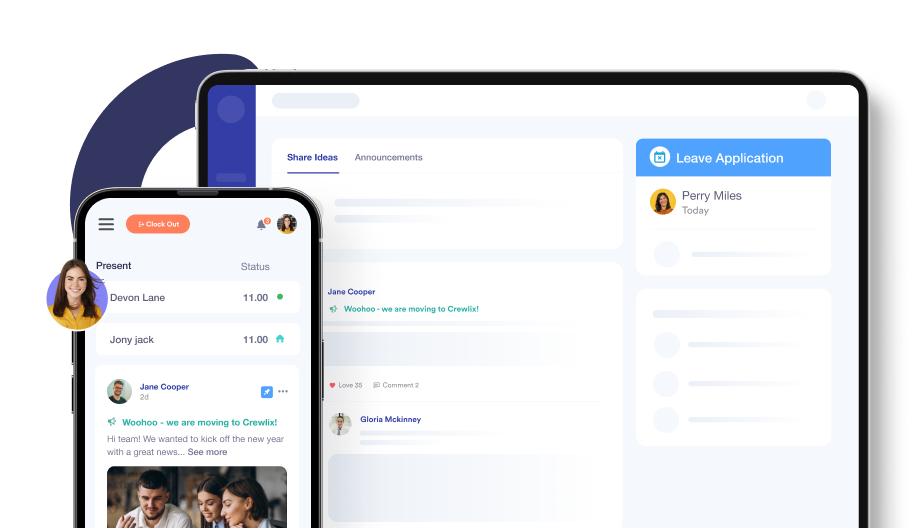
Never Miss an Expiry Date Again
Relying on folders, spreadsheets, and memory to keep up with expiring documents is a constant risk — one missed date can lead to a £60,000 civil penalty, licence revocation, or lost client contracts. Stay CQC audit-ready at all times.


One Expired Document.
One Failed Inspection.
One Very Bad Week.

Most UK businesses still track staff compliance documents in one of three ways: a shared spreadsheet, an email folder, or somebody’s memory, but all three carry the same risk. A document expires on a Tuesday, nobody notices, and by Wednesday, you are explaining it to a CQC inspector, a Home Office auditor, or a client who trusted you to get compliance right.
The consequences are real too: a care home with expired Right to Work documentation can face a civil penalty of up to £60,000 per illegal worker, a sponsor licence holder with unmonitored visa expiry dates can lose their licence overnight, and a recruitment agency with lapsed DBS certificates can lose a client contract the same day.
Crewlix removes the risk, not by adding another spreadsheet, but by replacing it with a system that watches the dates for you.
Custom Compliance Labels That Match Your Business
Every business has its own mix of checks and certificates, and trying to force them into generic categories makes it easy to miss something important. With Crewlix, you create custom document labels that fit your company’s compliance needs — Right to Work, DBS, training, visas, licences, and more.
Create custom labels to eliminate any confusion
Match labels to sector‑specific requirements
Reduce confusion and speed up searches

Set Up Once. Crewlix Watches Forever.

Step 1: Create Your Document Types
Create unlimited custom document labels that match how your sector already works, for example, DBS Enhanced, Right to Work BRP, NMC Pin, Care Certificate, CSCS Gold Card, or any other type your business needs. There are no fixed categories and no limits, so you can organise compliance your own way.

Step 2: Upload & Set Expiry Dates
Upload each compliance document directly to the relevant employee profile, then record the issue date and expiry date at the time of upload. From that moment on, Crewlix automatically tracks every document, so you do not need to rely on calendar reminders or manual checks.

Step 3: Automatic Alerts. Always Audit-Ready.
Get automatic alerts at 90 days, 30 days, and 7 days before expiry, then every single day throughout the final week. Your dashboard stays colour-coded too: green for valid, amber for expiring, and red for expired, and you can export a full compliance report in one click for any CQC, Home Office, or agency inspection.
Upload Documents Once & Keep Them Organised
When files live in random folders and inboxes, every request for proof becomes a mini‑crisis. Crewlix lets you upload compliance documents with custom names and labels, and stores them in a central system linked to the right employee.
Upload important documents directly into a secure profile.
Use meaningful names and labels.
Know exactly where each document is when necessary.

Record Issue & Expiry Dates Where They Matter
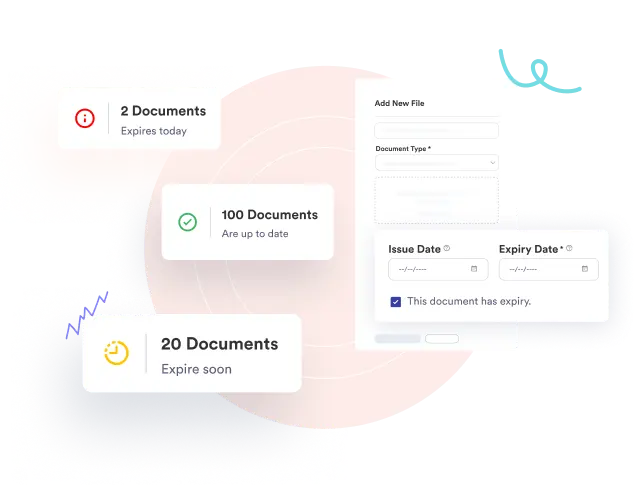
Guessing expiry dates or digging through email chains is both stressful and dangerous. In Crewlix, you record issue and expiry dates for documents that do expire at the point of upload, and the system uses those dates to monitor risk for you.
Add issue and expiry dates of a document during upload.
Keep previous documents stored without cluttering.
Track the status of each document with precision.
Get Early Alerts Before Documents Become A Problem
The biggest danger with compliance isn’t the document itself — it’s missing the moment when it needs updating. Crewlix sends automatic alerts before a document expires, giving you multiple chances to renew before it becomes a real threat to your business.
Receive automatic alerts 90 days, 30 days, and 7 days before expiry, with daily alerts throughout the final 7 days.
Plan renewals calmly instead of rushing under pressure.
Protect your business from avoidable compliance failures.

Stay Ahead of Expiry Dates
From 90 days before a document expires, Crewlix begins sending automated reminders to keep your team ahead of upcoming renewals. Additional alerts are sent 30 days before expiry, 7 days before expiry, and then every day during the final week, ensuring no critical document is overlooked, even during your busiest periods.
90 days before expiry: Initial reminder to begin the renewal process.
30 days before expiry: Follow-up reminder to keep renewals on track.
7 days before expiry: Final weekly reminder before daily notifications begin.
Daily during the final 7 days: Receive reminders every day until the document is renewed or expires.

Replace Expired Documents In A Few Clicks
Leaving expired documents sitting unnoticed is like leaving an unlocked door in your compliance system. With Crewlix, you upload the new version, update the issue and expiry dates, and the platform automatically updates the status.
Quickly replace old documents with fresh, valid versions.
Remove outdated risk from the system as soon as you act.
Keep the compliance view accurate without manual rework.

See Everything For Each Employee In A Simple Dashboard
Trying to determine whether someone is fully compliant by checking multiple tools is slow and risky. Crewlix gives you a simplified dashboard for each employee, showing their key documents, labels, and expiry statuses at a glance.
See all tracked documents for each employee in one view.
Spot gaps or emerging issues before your next inspection.
Make wise scheduling decisions and protect your business.

Your next inspection is coming. Is your compliance ready?
Start free for 30 days. No credit card required. Set up in under 30 minutes.
Start Your 30-Day Free Trial